AT A GLANCE
The product in context.
The Anker 332 adds HDMI, USB data and a dedicated power-input port to a compatible USB-C computer. It is a small travel-desk option for an external screen and a few peripherals, with a clearly limited 4K refresh rate and no built-in card reader.
This is a researched editorial overview based on the linked manufacturer information. This product is not in the owner’s collection and has not been tested by GadgetsBag. Pros, cons and the assessment are provisional, not firsthand findings.
A CLOSER LOOK
Photo gallery.
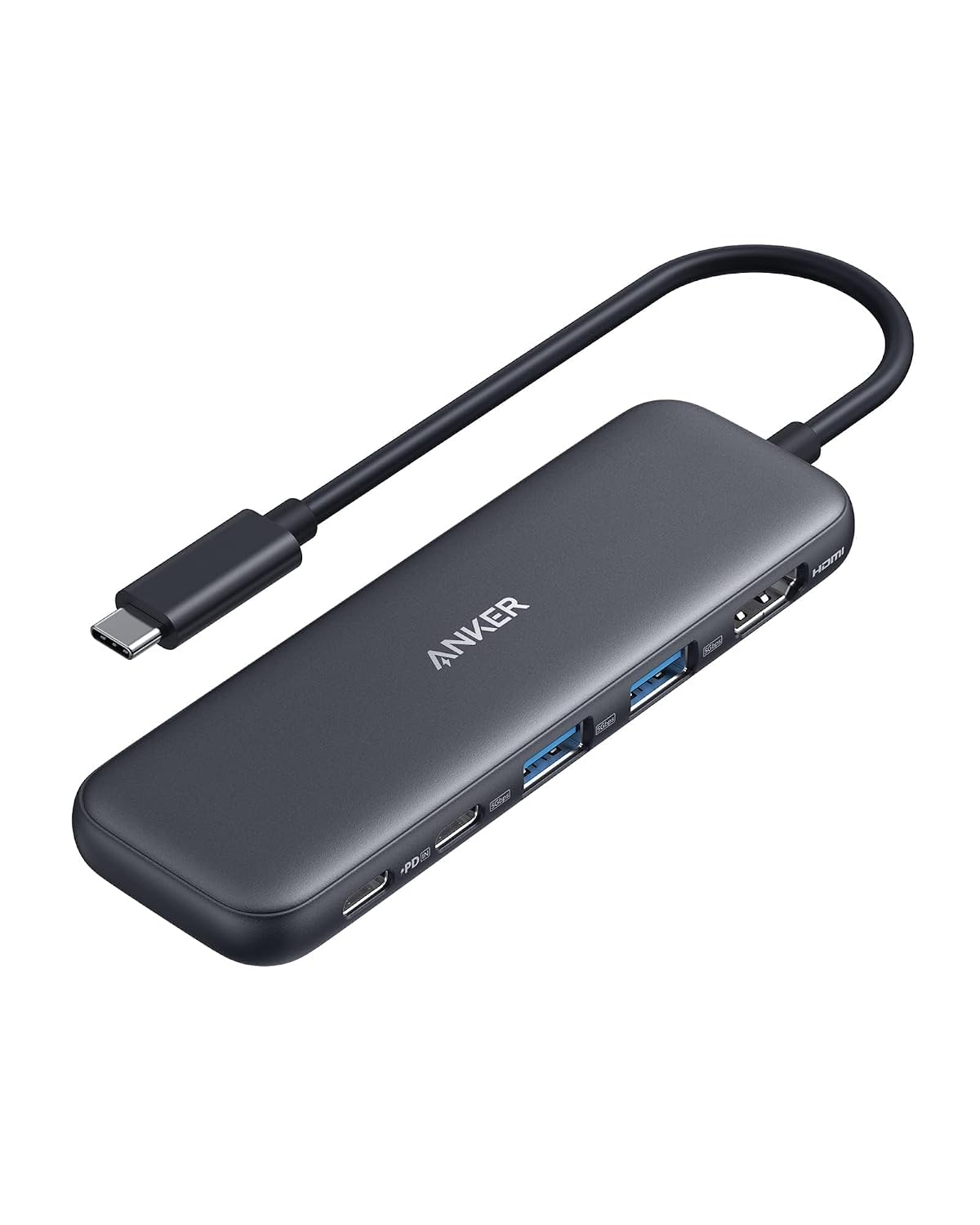
Image 1 of 4
Choose a thumbnail, then tap the large photo to enlarge it. Use the viewer arrows or swipe to explore. Product imagery is credited to its source.
THE PUBLISHED DETAILS
Product specifications.
- Variant
- 332 · five-port model · Black
- Video output
- HDMI up to 4K at 30Hz
- Data ports
- One USB-C and two USB-A; up to 5Gbps
- Power input
- USB-C PD-IN up to 100W
- Host charging claim
- Up to 85W pass-through with suitable equipment
- USB-C video
- The hub’s USB-C ports do not output video
- Separate equipment
- Charger, appropriate cables and compatible host required
Source: Product specifications and feature notes ↗. Manufacturer or listing claims are not our measurements. Check the exact regional variant.
THE PRACTICAL PERSPECTIVE
Overall review.
Check the laptop’s USB-C capabilities
A USB-C connector alone does not establish video output. Confirm that the host supports the display-output mode required by a USB-C HDMI hub, and that its charging arrangement is compatible. The HDMI socket is the display connection here; the hub’s USB-C data port is not a second monitor output.
Read input power separately from host power
The dedicated PD-IN port accepts up to 100W while the advertised pass-through to the host is up to 85W. A charger is not included, and a lower-powered source cannot deliver the maximum. The PD-IN port is for power rather than an additional data connection.
Match the port mix to the actual desk
4K at 30Hz may suit documents, slides and video, but users wanting 4K at 60Hz should choose a different hub. The listed 5Gbps ports are theoretical link maxima rather than measured file-transfer speeds. There is no Ethernet or SD reader in this five-port model, so camera and wired-network tasks may need another accessory.
Sources and related reading
WEIGH THE TRADE-OFFS
Pros & cons.
Based on published features and editorial assessment; not test results.
Pros
- HDMI and three USB data connections in a compact hub
- USB-C data port alongside two USB-A ports
- Pass-through charging reduces separate host connections
Cons
- 4K output is limited to 30Hz
- No Ethernet or memory-card reader
- Maximum host charging requires a suitable separate power source
Who is it for?
Worth considering for
- Travellers using a compatible laptop with an external screen and USB accessories
Think about first
- Host USB-C video support
- Monitor refresh-rate needs
- PD charger and cable capability
THE TAKEAWAY
Our assessment.
A focused travel-desk hub for supported hosts. Choose a faster-display or card-reader model if those connections are central to the trip.
Provisional assessment · Hands-on testing pendingWhat we still need to test.
These checks will help turn the initial assessment into a hands-on review.
- Display stability with the intended laptop
- Performance with the full peripheral setup
Read our editorial policy.