AT A GLANCE
The product in context.
The Brio 500 makes sense for a travel desk when the laptop camera puts you at an awkward angle. Its clip, selectable field of view and physical shutter give you specific features to compare with your built-in camera.
This is a researched editorial overview based on the linked manufacturer information. This product is not in the owner’s collection and has not been tested by GadgetsBag. Pros, cons and the assessment are provisional, not firsthand findings.
A CLOSER LOOK
Photo gallery.
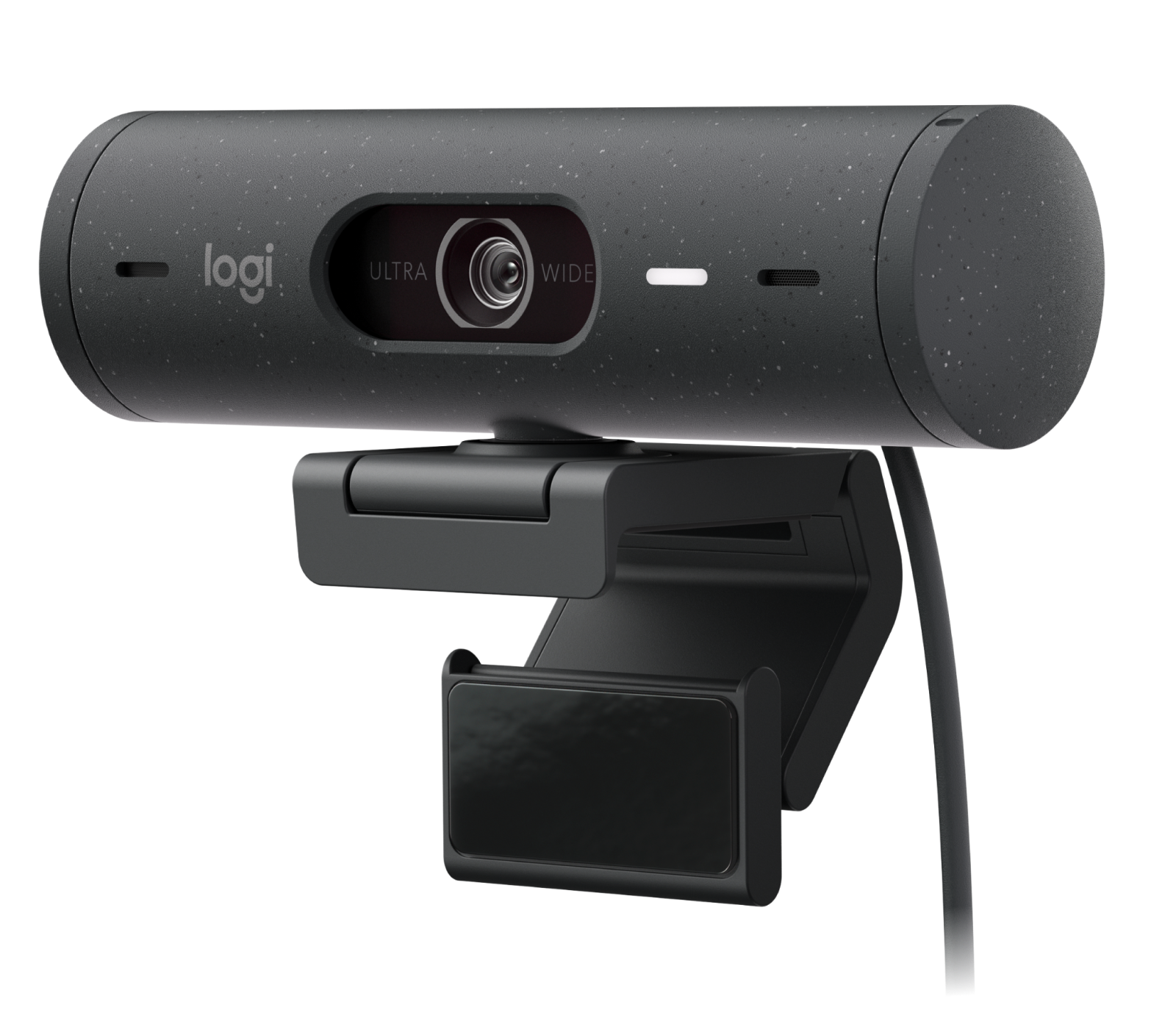
Image 1 of 4
Choose a thumbnail, then tap the large photo to enlarge it. Use the viewer arrows or swipe to explore. Product imagery is credited to its source.
THE PUBLISHED DETAILS
Product specifications.
- Variant
- Graphite, part number 960-001422
- Video modes
- 1080p at 30 fps or 720p at 60 fps
- Lens
- Autofocus
- Diagonal field of view
- 90°, 78° or 65°
- Connection
- Attached USB-C cable
- Audio and privacy
- Built-in stereo microphones and a physical lens shutter
Source: Manufacturer specifications and feature notes ↗. Manufacturer or listing claims are not our measurements. Check the exact regional variant.
THE PRACTICAL PERSPECTIVE
Overall review.
Fix the camera position first
If your laptop sits below eye level, try raising the screen. A webcam becomes more useful when you want to choose a different camera position, for example on an external display at a longer stay.
Try framing in your call app
A narrower view can reduce how much of a room is visible. Check which settings your computer and video-call app allow, and try the setup in the actual light you expect to use.
Pack around the port and the clip
Check that your computer has a free USB-C port that carries data. Try the clip on your intended display and make sure there is a protected place for the webcam and attached cable in your bag.
WEIGH THE TRADE-OFFS
Pros & cons.
Based on published features and editorial assessment; not test results.
Pros
- Physical shutter makes the covered lens easy to see
- Three field-of-view options
- Autofocus and stereo microphones built in
Cons
- Full HD tops out at 30 fps
- Attached USB-C cable takes a data port
- Mount fit depends on the screen and setup
Who is it for?
Worth considering for
- People who make regular video calls while travelling
- Laptop users with a free USB-C data port
Think about first
- Screen clip fit
- Framing controls in your preferred app
- Cable reach and laptop ports
THE TAKEAWAY
Our assessment.
Consider the Brio 500 when camera placement or a physical shutter would improve your routine. Check mounting and USB-C access before giving it a place in your work bag.
Provisional assessment · Hands-on testing pendingWhat we still need to test.
These checks will help turn the initial assessment into a hands-on review.
- Framing and exposure in mixed light
- Microphone pickup at desk distance
- Stability on different screen lids
Read our editorial policy.