AT A GLANCE
The product in context.
The MX Anywhere 3S offers a second portable mouse format alongside the simpler Pebble Mouse 2. Compare the features you would use rather than assuming a more elaborate mouse is necessary for every travel desk. This is an editorial overview, not a tested upgrade recommendation.
This is a researched editorial overview based on the linked manufacturer information. This product is not in the owner’s collection and has not been tested by GadgetsBag. Pros, cons and the assessment are provisional, not firsthand findings.
A CLOSER LOOK
Photo gallery.
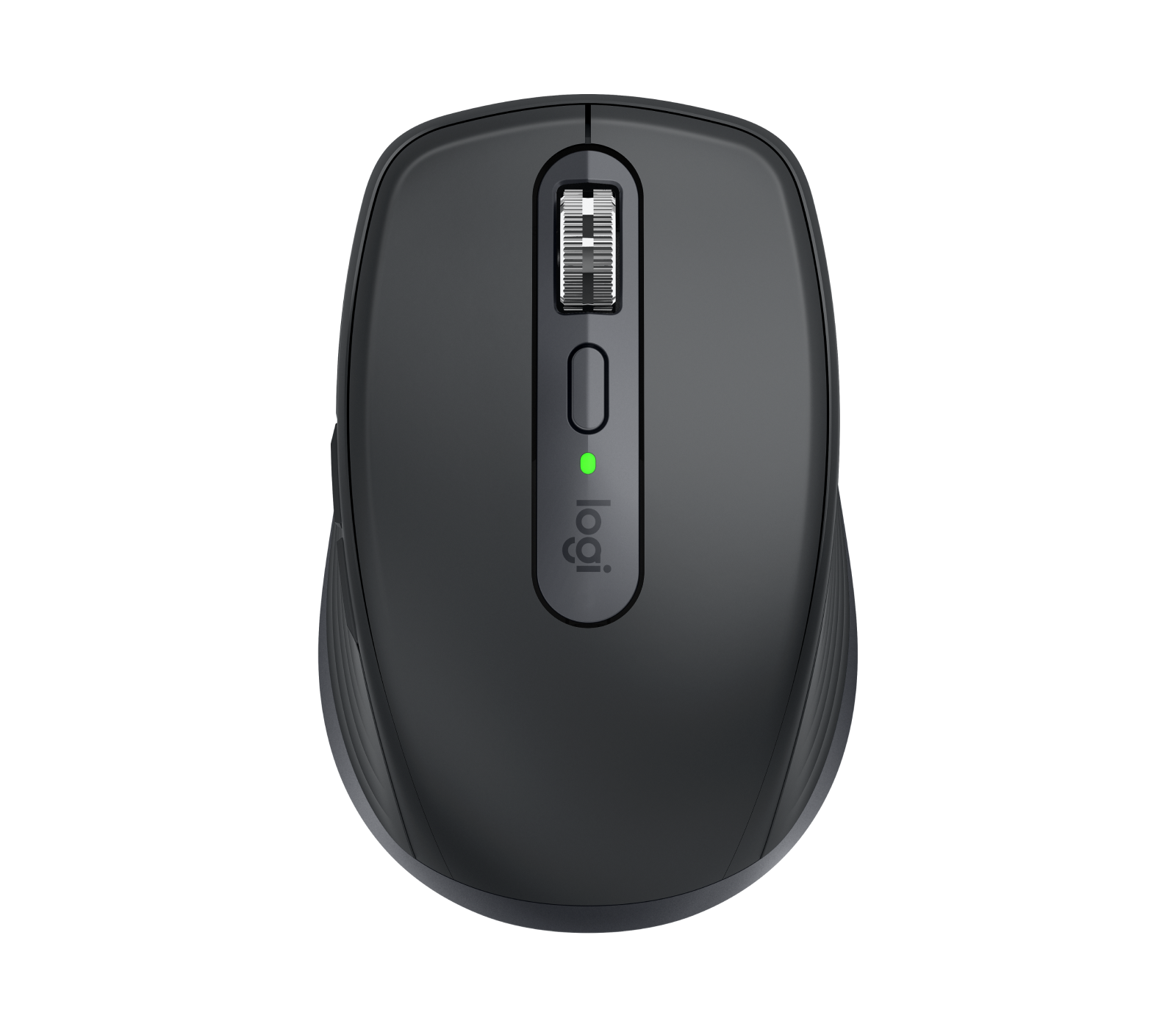
Image 1 of 4
Choose a thumbnail, then tap the large photo to enlarge it. Use the viewer arrows or swipe to explore. Product imagery is credited to its source.
THE PUBLISHED DETAILS
Product specifications.
- Variant
- Graphite; consumer MX Anywhere 3S
- Tracking
- Up to 8,000 DPI; surface performance depends on conditions
- Scroll wheel
- MagSpeed with ratchet and free-spin modes
- Connection
- Bluetooth; up to three paired devices
- Charging
- USB-C; rechargeable battery
- Battery claim
- Up to 70 days; up to 3 hours from a 1-minute charge under Logitech’s conditions
- Receiver
- Logi Bolt compatible; receiver not included in the referenced consumer configuration
- Software
- Options+ on supported Windows and macOS versions
Source: Manufacturer specifications and feature notes ↗. Manufacturer or listing claims are not our measurements. Check the exact regional variant.
THE PRACTICAL PERSPECTIVE
Overall review.
Decide what the extra controls would change
Think about the documents and applications you use on a journey. Frequent scrolling or repeated commands may give additional controls a purpose; occasional browsing may not. Compare with the Pebble Mouse 2 around the task and carrying space, without treating the feature count as a performance score.
Hand fit still matters in a small bag
A compact mouse can be convenient to pack while feeling different from the device used at home. Try the grip and reach to the side controls if possible. A work surface also changes posture, so plan where the mouse and screen will sit rather than assuming an accessory alone creates a comfortable workstation.
Check the connection and software
Bluetooth pairing, receiver availability and customisation support should be checked on the device you plan to carry. Charging through USB-C does not make it a conventional wired USB mouse. We have not measured tracking, scroll behaviour, click noise or charging endurance.
WEIGH THE TRADE-OFFS
Pros & cons.
Based on published features and editorial assessment; not test results.
Pros
- Compact format with a configurable scroll-wheel approach
- Rechargeable power and multi-device Bluetooth support
- Extra controls to consider for repeated work tasks
Cons
- Receiver is an extra purchase for the referenced configuration
- Compact shape may not suit every hand
- Some advanced features depend on supported desktop software
Who is it for?
Worth considering for
- Laptop travellers who regularly scroll long documents
- People who would use additional button assignments
- Buyers who prefer rechargeable power
Think about first
- Hand fit and the available work surface
- Exact consumer versus business bundle contents
- Software support on the intended device
THE TAKEAWAY
Our assessment.
An alternative to consider when its controls solve a repeated work problem. Check fit, connection and software before paying for features you may not use. Our tracking and comfort assessment remains untested.
Provisional assessment · Hands-on testing pendingWhat we still need to test.
These checks will help turn the initial assessment into a hands-on review.
- Comfort during documented work sessions
- Tracking on named surfaces
- Scrolling, device switching and battery use
Read our editorial policy.