AT A GLANCE
The product in context.
An external keyboard earns a place when a journey involves more typing than tapping a few search terms. The K380s adds a compact typing option beside our Pebble Mouse 2 coverage. It is a researched addition, not an item we have typed on or measured.
This is a researched editorial overview based on the linked manufacturer information. This product is not in the owner’s collection and has not been tested by GadgetsBag. Pros, cons and the assessment are provisional, not firsthand findings.
A CLOSER LOOK
Photo gallery.
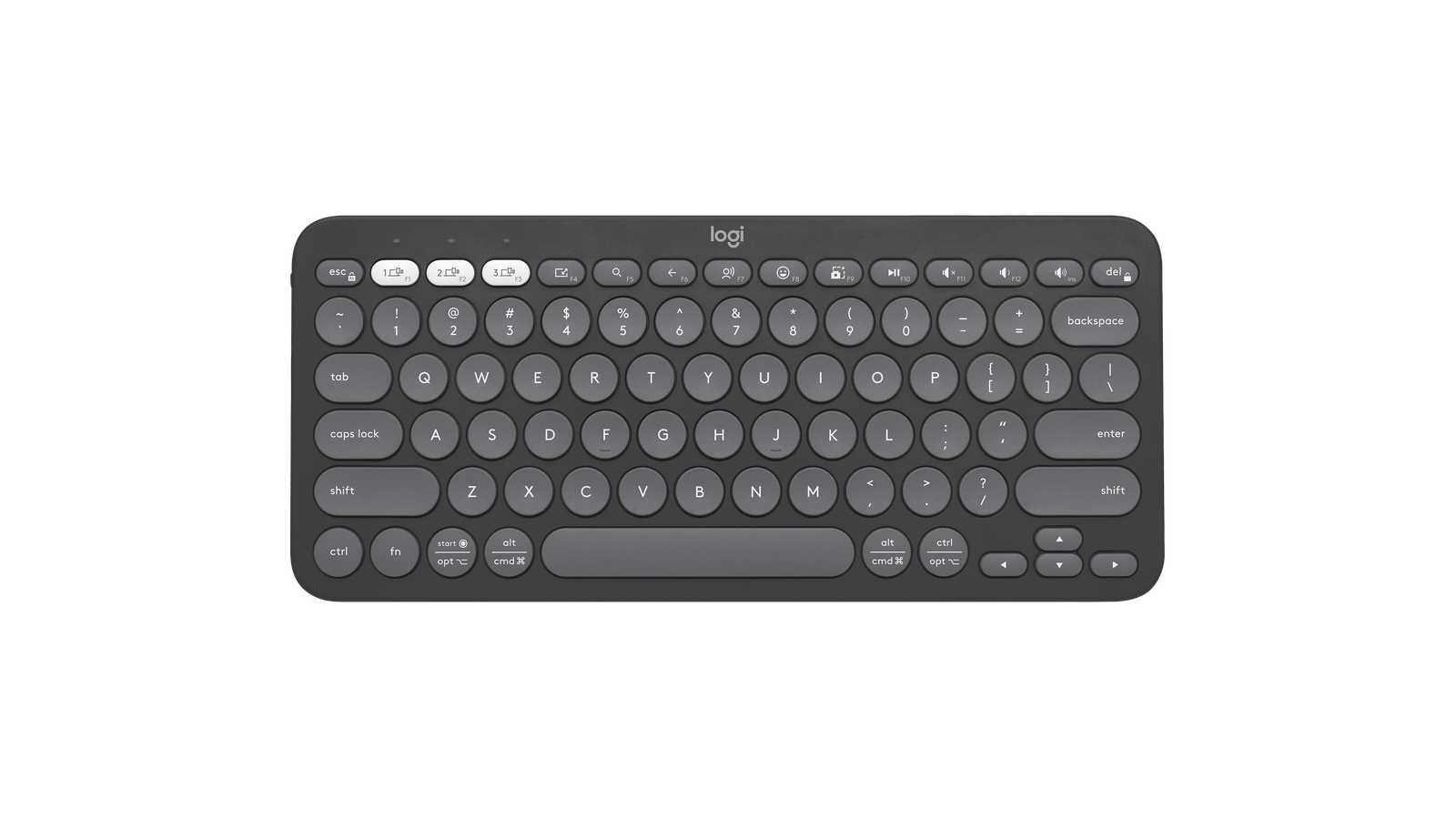
Image 1 of 4
Choose a thumbnail, then tap the large photo to enlarge it. Use the viewer arrows or swipe to explore. Product imagery is credited to its source.
THE PUBLISHED DETAILS
Product specifications.
- Model
- Pebble Keys 2 K380s; Tonal Graphite
- Connection
- Bluetooth; Easy-Switch between up to three paired devices
- Keyboard size
- 279.5 × 124.2 × 16.4mm
- Weight
- 415g with batteries, according to Logitech Support
- Power
- Two AAA batteries
- Software
- Options+ features on supported Windows/macOS systems
- Layout
- Compact without a numeric keypad; confirm regional key legends
Source: Manufacturer specifications and feature notes ↗. Manufacturer or listing claims are not our measurements. Check the exact regional variant.
THE PRACTICAL PERSPECTIVE
Overall review.
Start with the work you will do
Consider an actual task: writing trip notes, replying to longer messages or drafting an article. If a keyboard improves that task, check how you will position the screen as well. A keyboard on its own does not give a tablet a comfortable viewing angle or make every desktop application available on it.
A compact layout asks for a little adjustment
Look at the shortcuts and key legends on the version sold in your region. The manufacturer gallery may show different printed legends. Think about how often you use a number pad, function keys or shortcuts before deciding that a smaller layout will suit a long session.
Carry the complete work setup
Count the keyboard, screen support and any pointer you plan to use rather than looking at one accessory in isolation. Keep spare battery needs and a protected place for the keys in mind. Pairing, typing feel and app-specific shortcut behaviour are all checks we still need to document.
WEIGH THE TRADE-OFFS
Pros & cons.
Based on published features and editorial assessment; not test results.
Pros
- Compact format for a portable work setup
- Three-device switching can suit a mixed-device routine
- Replaceable AAA batteries avoid another charging cable
Cons
- No dedicated number pad
- Small circular keys may require adjustment
- Software customisation is not available on every operating system
Who is it for?
Worth considering for
- Travellers who regularly write longer passages
- People working between a computer and tablet
- Buyers who have checked the regional keyboard layout
Think about first
- Screen support and desk space
- Shortcut support in your actual apps
- Battery readiness before leaving
THE TAKEAWAY
Our assessment.
Consider the K380s when a compact physical keyboard would improve a specific task away from home. Check layout and screen positioning first. Our view is provisional until we have recorded typing and device-switching experience.
Provisional assessment · Hands-on testing pendingWhat we still need to test.
These checks will help turn the initial assessment into a hands-on review.
- Typing comfort on documented tasks
- Pairing and switching between named devices
- Shortcut behaviour across supported operating systems
Read our editorial policy.