AT A GLANCE
The product in context.
The M350s adds a portable pointing device to the work-away kit. This page covers the Tonal Graphite Pebble Mouse 2 linked under Amazon ASIN B0CGCZHGW1, rather than the original M350 or a keyboard-and-mouse bundle. GadgetsBag has not tested this mouse.
This is a researched editorial overview based on the linked manufacturer information. This product is not in the owner’s collection and has not been tested by GadgetsBag. Pros, cons and the assessment are provisional, not firsthand findings.
A CLOSER LOOK
Photo gallery.
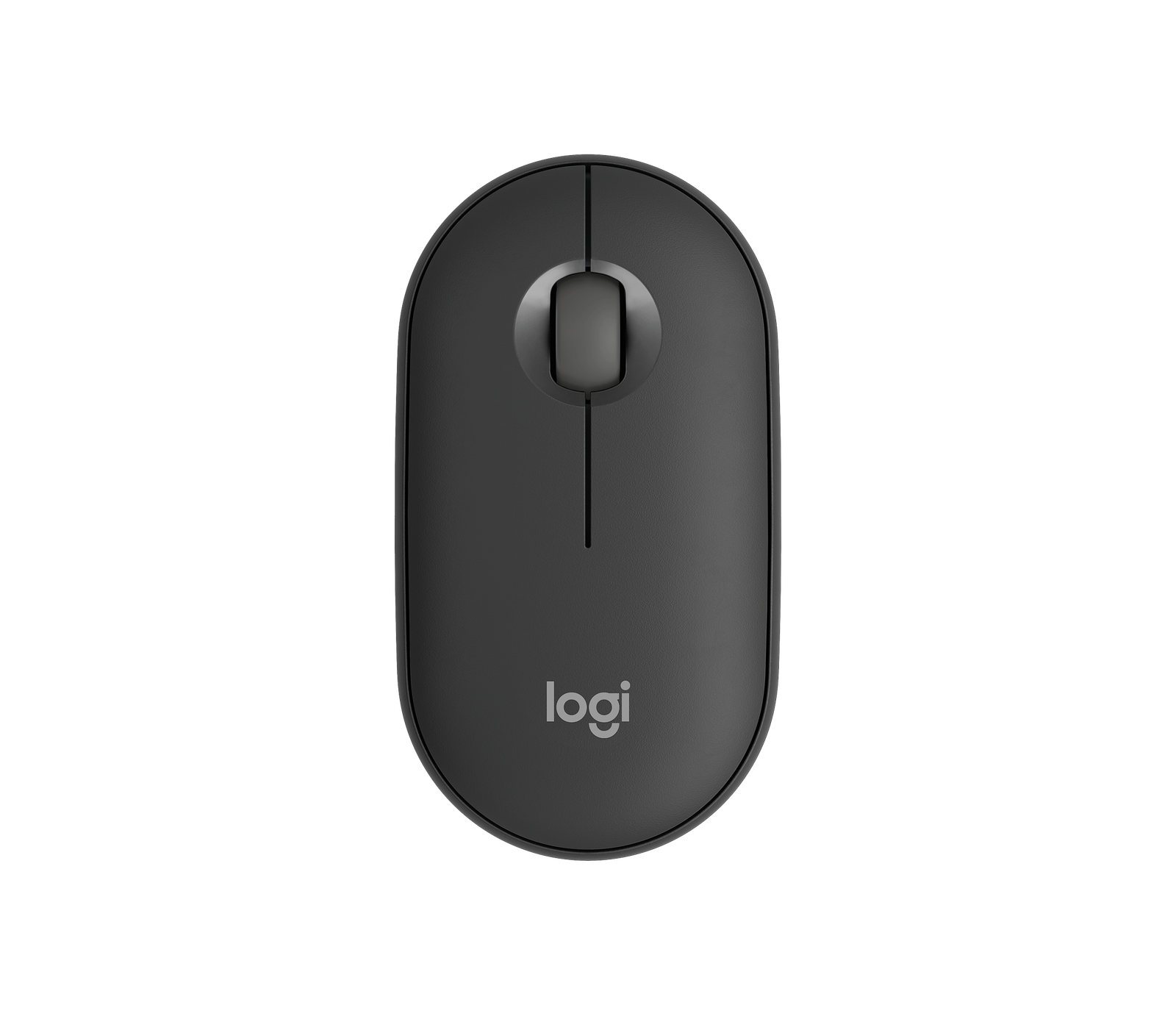
Image 1 of 5
Choose a thumbnail, then tap the large photo to enlarge it. Use the viewer arrows or swipe to explore. Product imagery is credited to its source.
THE PUBLISHED DETAILS
Product specifications.
- Connection
- Bluetooth; compatible with Logi Bolt receiver sold separately
- Device selection
- Three Easy-Switch channels
- Tracking adjustment
- 400–4000dpi in 100dpi steps, per Logitech
- Buttons
- Three: left, right and scroll-wheel middle click
- Customisation
- Middle-button actions through supported Logi Options+ software
- Power
- One replaceable AA alkaline battery
- Battery life
- Up to 24 months; manufacturer claim depending on use
- USB receiver included
- No
- Supported platforms
- Compatible Windows, macOS, iPadOS and Android devices; check OS requirements
Source: Logitech India product specifications and FAQs ↗. Manufacturer or listing claims are not our measurements. Check the exact regional variant.
THE PRACTICAL PERSPECTIVE
Overall review.
Choose it around the task
A mouse can make a temporary desk feel more familiar if you regularly select text, organise files or work in documents. It still needs somewhere to move: consider the table surface, available space and your preferred sitting position. The value of a compact pointer is lower if most of your trip consists of handheld phone use or pen input on a tablet.
Portability and hand fit are separate questions
A low-profile mouse can be easy to pack, while comfort depends on hand size, grip and the length of each session. Try the shape if possible instead of treating compact dimensions as a comfort guarantee. We have not assessed prolonged use, tracking on hotel tables or how the buttons feel. These are useful checks before making it your only work mouse.
Pairing is only part of compatibility
Easy-Switch channels let you select among paired devices, but the application you use still determines what the pointer can do. Likewise, software customisation requires a supported installation; it should not be assumed to follow the mouse onto every tablet or phone. This listing does not include a USB receiver. Check native Bluetooth support before choosing a receiver-free setup.
WEIGH THE TRADE-OFFS
Pros & cons.
Based on published features and editorial assessment; not test results.
Pros
- Slim form factor is straightforward to pack
- Three device channels support a multi-device routine
- Replaceable AA power avoids another rechargeable-device schedule
Cons
- Low-profile shape may not suit every grip or long session
- USB receiver must be purchased separately if needed
- Custom actions and pointer behaviour depend on software and platform
Who is it for?
Worth considering for
- Travellers using a laptop at temporary desks
- People who alternate between compatible devices
- Buyers who prefer replaceable-battery accessories
Think about first
- Hand fit and the amount of continuous use
- Native Bluetooth support on the intended computer
- Available surface space and application support
THE TAKEAWAY
Our assessment.
Consider the M350s if a small mouse has a clear place in your work-away routine. Check hand fit and Bluetooth support, and distinguish basic pointing from software-dependent features. Comfort, tracking and switching behaviour have not been tested by GadgetsBag.
Provisional assessment · Hands-on testing pendingWhat we still need to test.
These checks will help turn the initial assessment into a hands-on review.
- Pairing and switching across the intended devices
- Comfort during a documented work session
- Tracking on several typical desk surfaces
- Middle-button customisation with supported software
Read our editorial policy.