AT A GLANCE
The product in context.
The Logitech R500 is a presentation remote for a work-travel bag. Bluetooth and a USB receiver provide two connection routes, while the simple slide controls reduce the need to stand beside a laptop during a talk.
This is a researched editorial overview based on the linked manufacturer information. This product is not in the owner’s collection and has not been tested by GadgetsBag. Pros, cons and the assessment are provisional, not firsthand findings.
A CLOSER LOOK
Photo gallery.
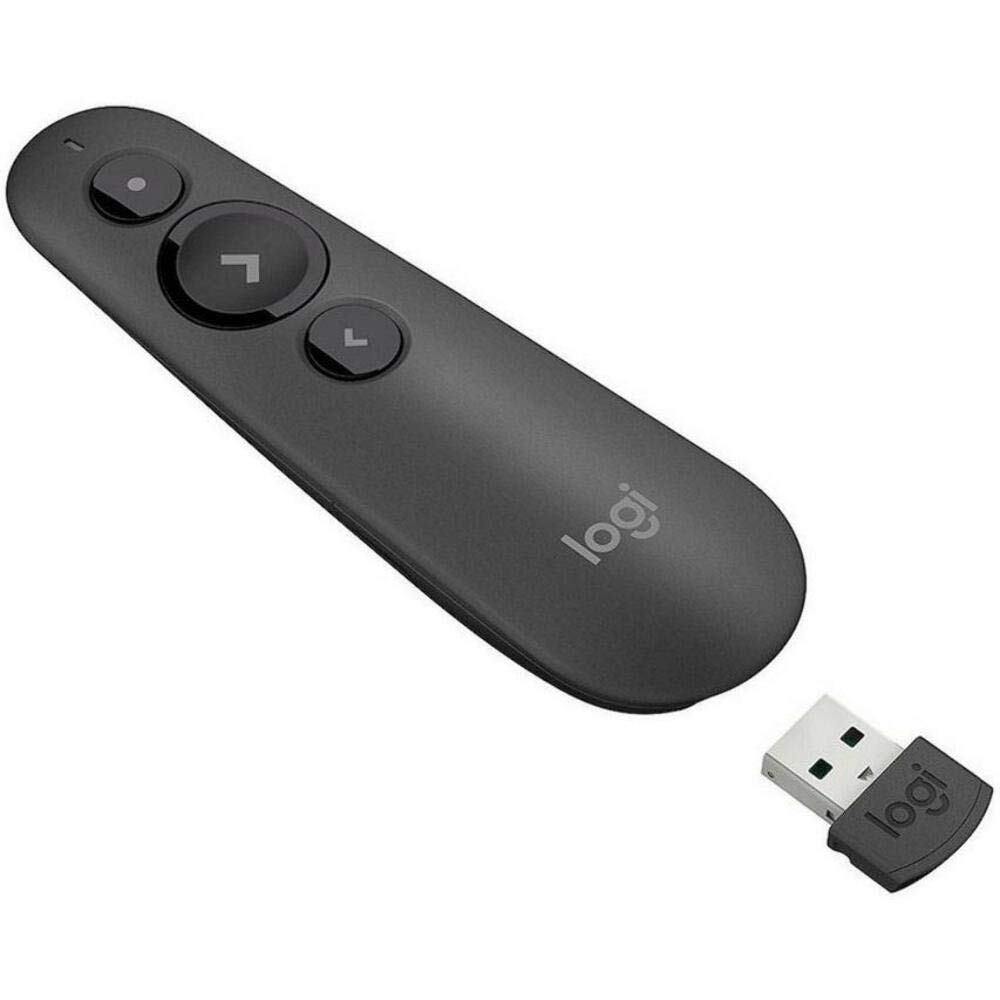
Image 1 of 1
Choose a thumbnail, then tap the large photo to enlarge it. Use the viewer arrows or swipe to explore. Product imagery is credited to its source.
THE PUBLISHED DETAILS
Product specifications.
- Connections
- Bluetooth Low Energy or USB receiver
- Controls
- Slide navigation and laser pointer
- Wireless range claim
- Up to 20 metres; environment dependent
- Power
- One AAA battery
- Battery-life claim
- Up to 12 months; usage dependent
- Receiver storage
- Built-in storage compartment
Source: Product specifications and feature notes ↗. Manufacturer or listing claims are not our measurements. Check the exact regional variant.
THE PRACTICAL PERSPECTIVE
Overall review.
Rehearse the actual presentation setup
Connect the remote to the laptop you will use and test the slide application before travelling. Bluetooth avoids occupying a USB port; the receiver is useful when that route is easier. A USB-C-only laptop may need an appropriate adapter for the USB receiver. Check application and operating-system support for your chosen connection.
Separate slide control from pointing
The remote can advance slides without making the laser suitable for every display. Laser visibility varies with the surface and lighting; it may be unsuitable for a TV or video meeting. For a remote audience, use the presentation software’s on-screen pointer. Keep the laser away from eyes and reflective surfaces.
Pack for the meeting, not the specification sheet
The stated range is a maximum under suitable conditions. Walls, interference and room layout can reduce it, so test from the position where you intend to speak. Store the receiver inside the remote after use and check the AAA battery before leaving for an important meeting.
Sources and related reading
WEIGH THE TRADE-OFFS
Pros & cons.
Based on published features and editorial assessment; not test results.
Pros
- Bluetooth and USB receiver connection options
- Built-in receiver storage
- Simple controls for a presentation kit
Cons
- USB-C-only laptops may need a receiver adapter
- Laser is not suitable for every screen or remote audience
- Battery and wireless conditions affect reliability
Who is it for?
Worth considering for
- Travellers giving presentations from a compatible laptop
Think about first
- Operating system and slide-software support
- Available laptop ports
- Presentation screen and room layout
THE TAKEAWAY
Our assessment.
A focused work-trip accessory for rehearsed presentations. GadgetsBag has not tested its range or battery life.
Provisional assessment · Hands-on testing pendingWhat we still need to test.
These checks will help turn the initial assessment into a hands-on review.
- Slide control in the actual application
- Wireless operation from your speaking position
Read our editorial policy.