AT A GLANCE
The product in context.
The T7 Shield adds a solid-state alternative to the Seagate portable hard drive already in the collection. This page covers the black 1TB MU-PE1T0S, rather than the T7 Touch or another capacity. It is an established model selected for its relevance to travel photo and video workflows.
This is a researched editorial overview based on the linked manufacturer information. This product is not in the owner’s collection and has not been tested by GadgetsBag. Pros, cons and the assessment are provisional, not firsthand findings.
A CLOSER LOOK
Photo gallery.
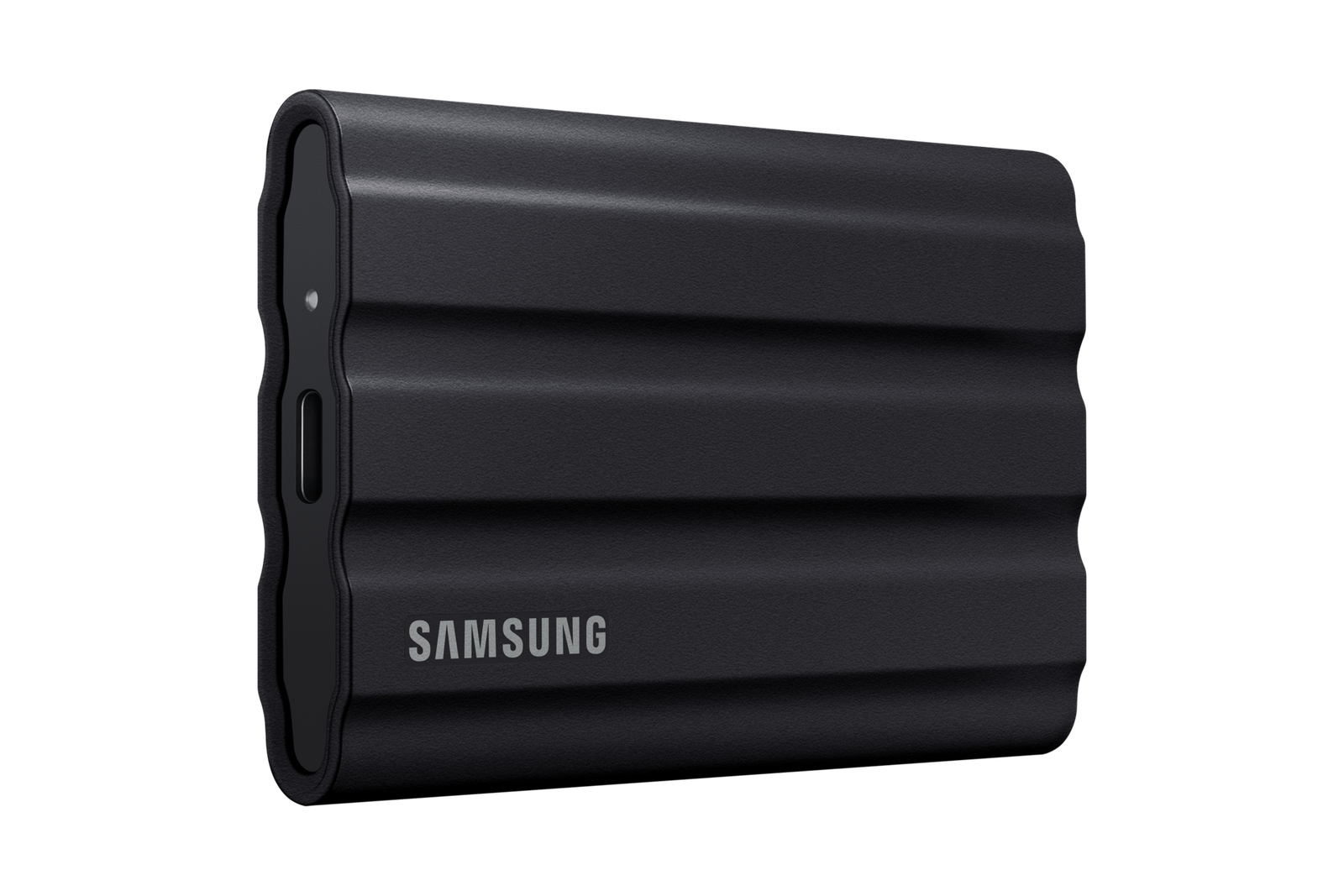
Image 1 of 4
Choose a thumbnail, then tap the large photo to enlarge it. Use the viewer arrows or swipe to explore. Product imagery is credited to its source.
THE PUBLISHED DETAILS
Product specifications.
- Capacity
- 1TB; usable displayed capacity varies
- Interface
- USB 3.2 Gen 2, up to 10Gb/s
- Sequential read
- Up to 1050MB/s; Samsung claim with compatible host and cable
- Sequential write
- Up to 1000MB/s; Samsung claim with compatible host and cable
- Protection
- IP65 under Samsung’s specified test conditions
- Weight
- 98g, according to Samsung
- Dimensions
- 88 × 59 × 13mm
- Encryption
- AES 256-bit hardware encryption; supported software required
Source: Manufacturer specifications and feature notes ↗. Manufacturer or listing claims are not our measurements. Check the exact regional variant.
THE PRACTICAL PERSPECTIVE
Overall review.
Give the drive a job in the workflow
Portable storage is useful when it solves a clear problem: copying camera footage, making room on a laptop or maintaining an additional copy during a journey. Decide what you will copy, when you will do it and where the other copy will live. Carrying a drive without a routine does not by itself protect your photographs.
The connection can be the limiting factor
A USB-C socket does not establish the speed of the whole connection. Check the computer or phone, cable and file-transfer software you intend to use. The published sequential figures describe a particular kind of workload and compatible setup; a folder of many small files can behave differently. We have not benchmarked the drive or verified a phone-recording workflow.
Ruggedness still has conditions
The enclosure and published protection rating may be useful considerations for travel, but the drive still needs sensible handling and a backup plan. Keep the connector protected and check the file system your devices require. Compare the full setup with the existing hard-drive option, including capacity, cable needs and how often you will transfer material.
WEIGH THE TRADE-OFFS
Pros & cons.
Based on published features and editorial assessment; not test results.
Pros
- Compact solid-state storage for a portable offload kit
- USB-C connection and a protective ribbed enclosure
- Published IP65 rating under the manufacturer’s conditions
Cons
- Maximum transfer figures depend on the host, cable and workload
- 1TB may be limiting for a large video archive
- A single portable drive is not a complete backup plan
Who is it for?
Worth considering for
- Travellers organising photos and video on a computer
- People looking for a portable SSD rather than a hard drive
- Buyers who have checked device and file-system compatibility
Think about first
- A second copy and a regular offload schedule
- The exact capacity and regional seller warranty
- Connection speed and available cables on your intended devices
THE TAKEAWAY
Our assessment.
An established portable SSD to consider for a defined travel-media workflow. Check the connection and capacity against your needs, and retain another copy of important files. Transfer speed and device compatibility remain untested by GadgetsBag.
Provisional assessment · Hands-on testing pendingWhat we still need to test.
These checks will help turn the initial assessment into a hands-on review.
- Sustained transfers with documented files and host equipment
- Compatibility with the intended laptop or phone
- Temperature and handling during a longer transfer
Read our editorial policy.