AT A GLANCE
The product in context.
The Graphite MX Master 4 is a full-size right-handed mouse for a desk setup. A thumb wheel, MagSpeed scroll wheel and optional Action Ring shortcuts are its main draws for spreadsheets, editing and long documents.
This is a researched editorial overview based on the linked manufacturer information. This product is not in the owner’s collection and has not been tested by GadgetsBag. Pros, cons and the assessment are provisional, not firsthand findings.
A CLOSER LOOK
Photo gallery.
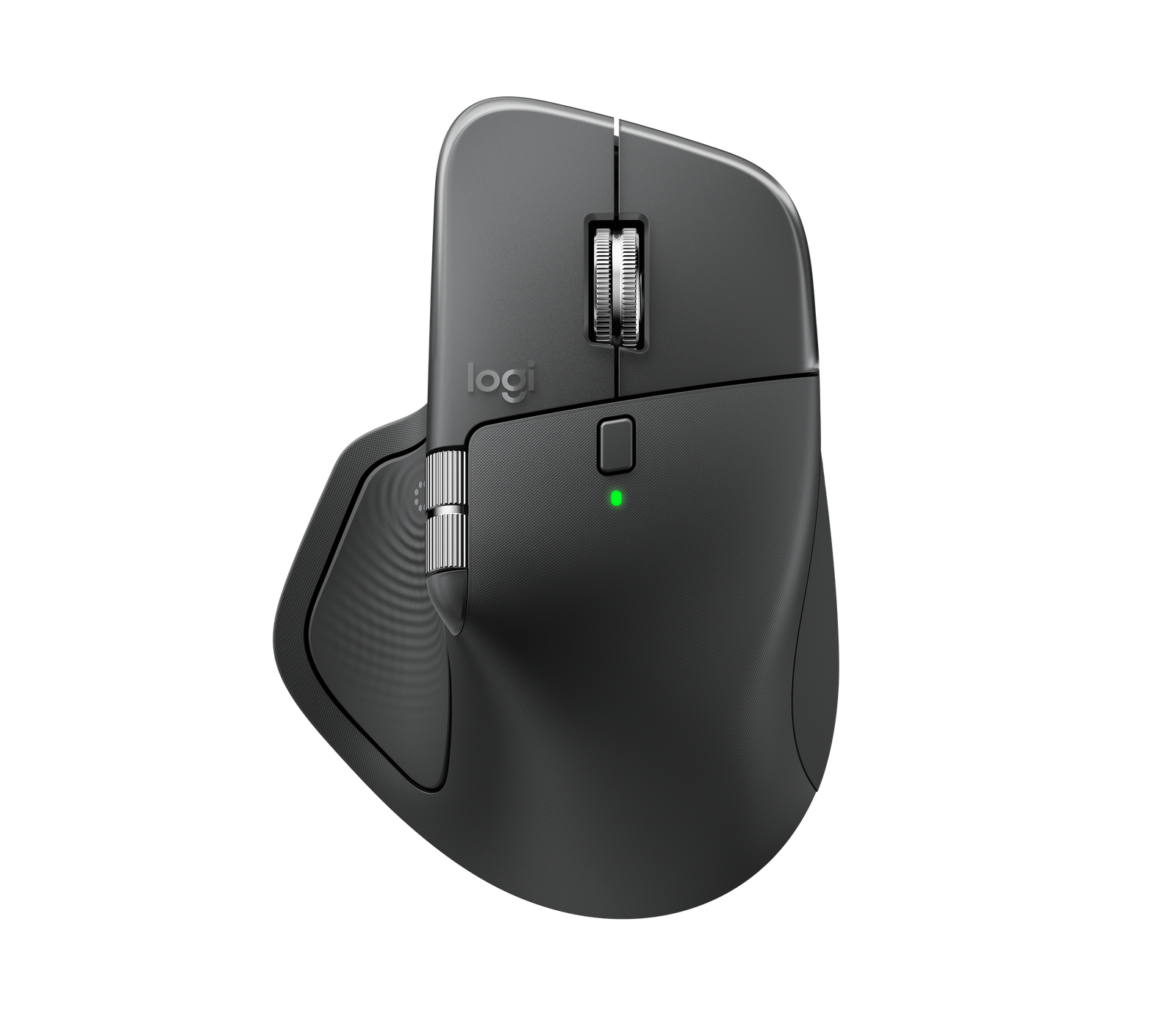
Image 1 of 4
Choose a thumbnail, then tap the large photo to enlarge it. Use the viewer arrows or swipe to explore. Product imagery is credited to its source.
THE PUBLISHED DETAILS
Product specifications.
- Colour
- Graphite
- Tracking
- Up to 8,000 DPI
- Connection
- Bluetooth Low Energy or included Logi Bolt USB-C receiver
- Charging
- USB-C
- Rated battery life
- Up to 70 days, depending on use
- Controls
- MagSpeed main wheel, thumb wheel and haptic Action Ring with Logi Options+
Source: Manufacturer specifications and feature notes ↗. Manufacturer or listing claims are not our measurements. Check the exact regional variant.
THE PRACTICAL PERSPECTIVE
Overall review.
Try the thumb wheel on a real task
Horizontal scrolling can save time in a wide spreadsheet or editing timeline. Check that the applications you use handle the wheel the way you expect.
Decide what belongs on the Action Ring
Start with shortcuts you already use several times a day. Logi Options+ is part of the setup for Action Ring customisation, so check whether it can be installed on a managed work computer.
Make room in your bag
The sculpted body takes more space than a compact mouse. Check its fit in your pouch and how easily your thumb reaches the controls before choosing it for travel.
Sources and related reading
WEIGH THE TRADE-OFFS
Pros & cons.
Based on published features and editorial assessment; not test results.
Pros
- Thumb wheel for horizontal scrolling
- Fast and precise scrolling modes for long documents
- Bluetooth and an included USB-C receiver offer two connection options
Cons
- Full-size right-handed body takes more space in a bag
- Action Ring customisation depends on Logi Options+
- Thumb controls may be harder to reach with smaller hands
Who is it for?
Worth considering for
- Right-handed desk users working across wide documents
- Editors who can use configurable shortcuts
Think about first
- Hand fit
- Options+ permissions on a work computer
- Room in the laptop bag
THE TAKEAWAY
Our assessment.
The MX Master 4 earns its desk space if you use horizontal scrolling and can set up the shortcuts you want. Check the size first if the mouse will travel daily.
Provisional assessment · Hands-on testing pendingWhat we still need to test.
These checks will help turn the initial assessment into a hands-on review.
- Thumb-button reach during a long session
- Horizontal scrolling in a spreadsheet and editor
- Reconnection after sleep
Read our editorial policy.