AT A GLANCE
The product in context.
The standard Graphite Signature M650 is designed for small to medium hands. Its quiet main buttons, contoured sides and choice of wireless connection make it a practical option for a shared office or a travel desk.
This is a researched editorial overview based on the linked manufacturer information. This product is not in the owner’s collection and has not been tested by GadgetsBag. Pros, cons and the assessment are provisional, not firsthand findings.
A CLOSER LOOK
Photo gallery.
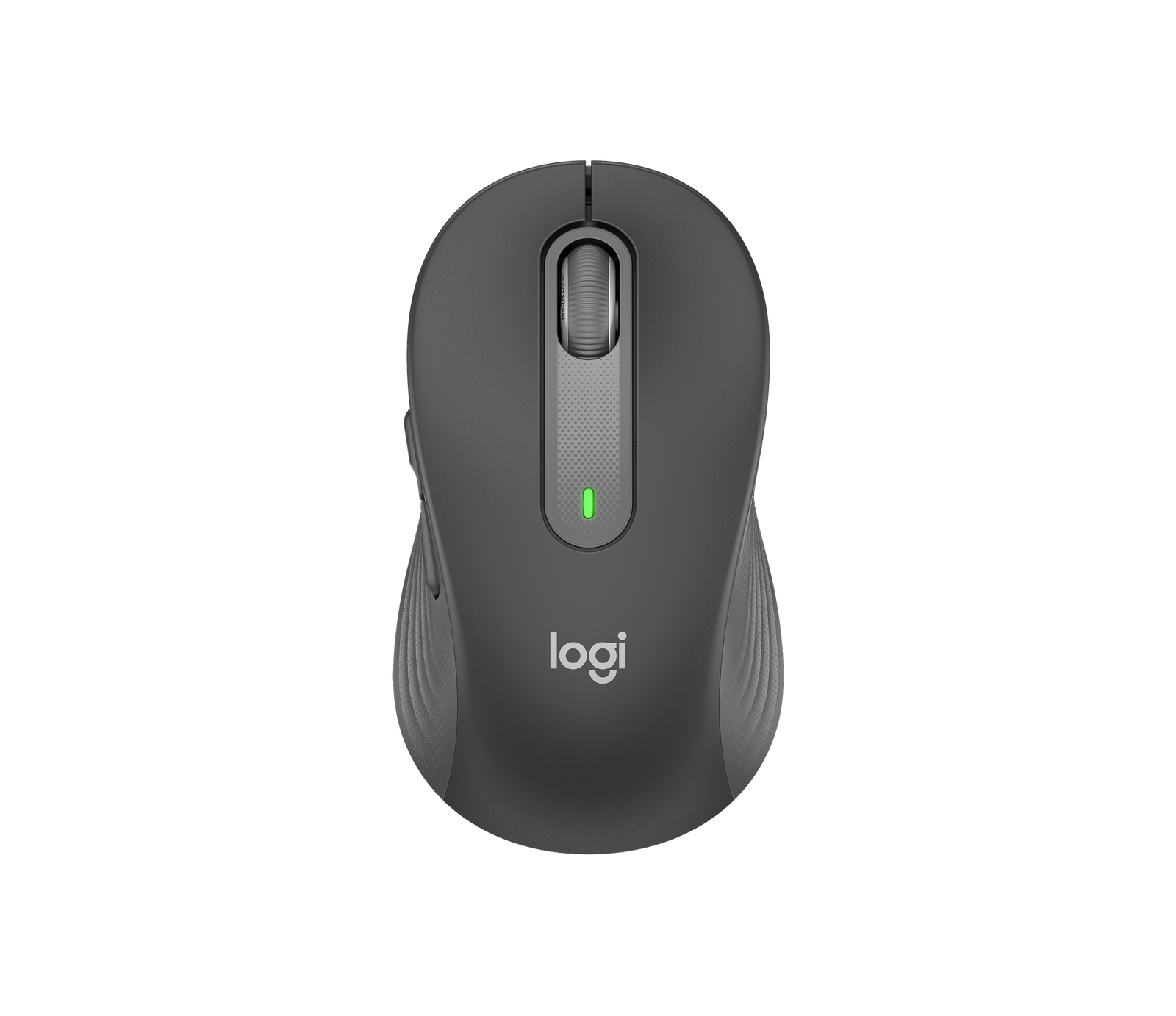
Image 1 of 4
Choose a thumbnail, then tap the large photo to enlarge it. Use the viewer arrows or swipe to explore. Product imagery is credited to its source.
THE PUBLISHED DETAILS
Product specifications.
- Variant
- Graphite, standard size for small to medium hands
- Connection
- Bluetooth Low Energy or included Logi Bolt USB receiver
- Controls
- SmartWheel and two side buttons
- Battery
- One AA battery
- Published battery life
- Up to 24 months with the USB receiver or 20 months with Bluetooth
- Customisation
- Logi Options+ on supported Windows and macOS systems
Source: Manufacturer specifications and feature notes ↗. Manufacturer or listing claims are not our measurements. Check the exact regional variant.
THE PRACTICAL PERSPECTIVE
Overall review.
Check the fit before you choose a size
The standard model has a shorter body than the M650 L. A fingertip grip may suit the smaller shell, while a larger palm may want the extra length of the L. Make sure you can reach both side buttons without shifting your grip.
Pick the connection that suits your laptop
Bluetooth leaves the laptop ports free. The included Bolt receiver is useful when the computer has an available USB-A port and you prefer using the receiver.
Use the side buttons for tasks you repeat
Back and forward are handy in browsers and file managers. If you want application-specific shortcuts, confirm that you can install Logi Options+ on your computer.
Sources and related reading
WEIGH THE TRADE-OFFS
Pros & cons.
Based on published features and editorial assessment; not test results.
Pros
- Quiet main clicks for shared rooms
- Choice of Bluetooth or the included Bolt receiver
- Replaceable AA battery and two programmable side buttons on supported systems
Cons
- Standard shell can feel short in larger hands
- Included receiver occupies a USB-A port
- Custom button mapping depends on software support
Who is it for?
Worth considering for
- Laptop users working in shared spaces
- People with small to medium hands who want a contoured mouse
Think about first
- Palm fit and thumb reach
- USB port availability
- Permission to install Options+ on a work laptop
THE TAKEAWAY
Our assessment.
Pick the standard M650 if the smaller shape fits and quiet clicks are a priority. Bluetooth is especially handy on a laptop with few ports.
Provisional assessment · Hands-on testing pendingWhat we still need to test.
These checks will help turn the initial assessment into a hands-on review.
- Click noise on a shared desk
- Grip comfort after a full session
- Bluetooth wake and receiver reconnection
Read our editorial policy.